



SISMO SOFTWARE · CONNECT YOUR COCKPIT
SismoLink V2.2
One application. Three aircraft integrations.
OrbitXP functionality is now part of SismoLink.
SismoLink V2.2
V2.2 — NOT TESTED
New in V2.2: PMDG MIP backlighting and ground-power corrections, landing-gear UP/OFF handling and TEST/BRT/DIM commands; Zibo AFDS reset/test, sixpack recall and FUEL FLOW corrections; improved SimCard detection on PCs with multiple network adapters.
Connector for Sismo cockpit hardware: PMDG 737 and iFly 737 MAX in Microsoft Flight Simulator 2020/2024, and Zibo 737-800X in X-Plane 12.
Optional update notifications and initial/reconnect synchronization of maintained hardware switches and selectors are retained. Zibo users must also update the supplied X-Plane plugin.
iFly integration and validation
The MCP has been tested with real hardware and iFly in MSFS 2024. EFIS, supported MIP functions and the new overhead/pedestal mappings still require real aircraft/hardware validation.
MIP support includes Six Pack, AFDS, gear UP/DOWN, autobrake, fuel flow, GPWS, NWS, LIGHTS TEST/BRT/DIM, IDC ISFD controls, CHR, 43 annunciators, legacy backlight relays and a calibrated brake-pressure servo. LE FLAPS EXT/TRANSIT are adapted from the SDK flap/slat indicator groups and need physical validation.
SDK/MAX limitations: NG MAIN/LOWER DU, N1 SET, SPD REF and gear OFF remain unassigned. Full NG clock controls/displays, ISFD USB and screen images are not integrated. The SDK exposes flap lever detents rather than actual flap needle position, so the flap needle remains unassigned. V2.2 includes expanded iFly overhead and pedestal SDK mappings for testing.
Close SismoLink before installing an update. Existing V2 per-user settings are preserved. The package includes detailed release notes and the X-Plane plugin for Zibo.
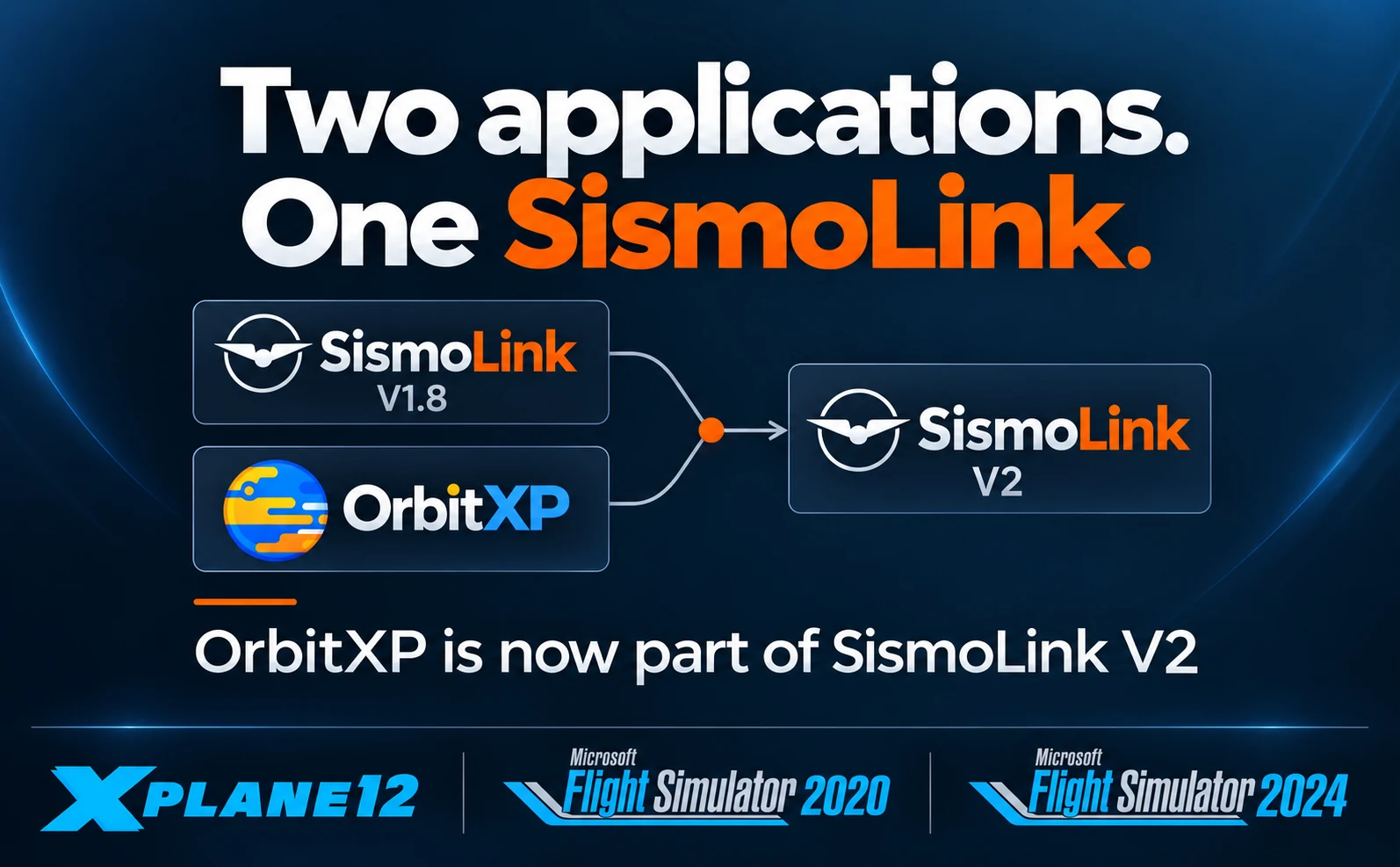
Two applications. One SismoLink V2.x.
SismoLink V1.8 and OrbitXP come together in the SismoLink V2.x family. Download the current V2.2 release above.
From your SISMO modules to the aircraft.
MCP, EFIS, MIP, Pedestal, FWD Overhead and AFT Overhead connect through SismoLink for supported aircraft add-ons. ProSim:737 connects directly to supported SISMO hardware, without passing through SismoLink.
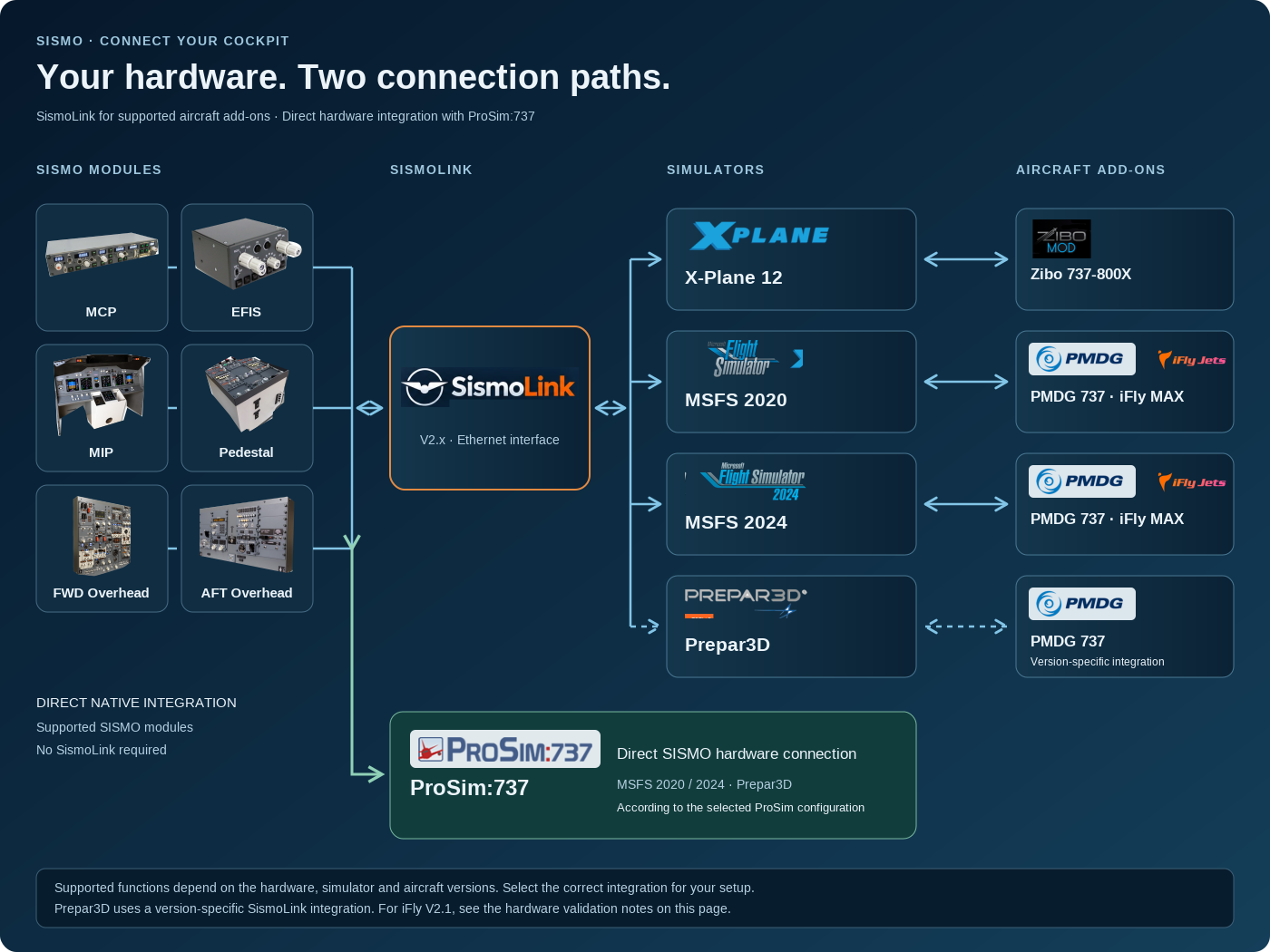
Select the diagram to view it at full size. Prepar3D compatibility depends on the SismoLink version and aircraft configuration.
OrbitXP has been superseded by SismoLink V2. Its X-Plane functionality is now integrated into SismoLink, so a separate OrbitXP application is no longer required when using V2. The PMDG integration carries forward the improvements introduced in SismoLink V1.8.
Supported Simulators and Aircraft
| Simulator | Aircraft | SismoLink V2 support |
|---|---|---|
| Microsoft Flight Simulator 2020 / 2024 | PMDG 737 | Included — native SimConnect integration |
| X-Plane 12 | Zibo 737-800X | Included — integrated OrbitXP functionality |
| Microsoft Flight Simulator 2024 | iFly 737 MAX | Included in V2.2 — MCP previously tested in MSFS 2024; new functions NOT TESTED |
Select your simulator in SismoLink. Your selection is saved, and the application offers to restart to apply a change. Only one simulator connection is active at a time.
Main Features
Use the same SismoLink interface to select your simulator, configure supported modules and monitor connection status.
Microsoft SimConnect for MSFS and PMDG; native UDP communication for X-Plane 12 and Zibo, together with SismoXPlanePlugin. No FSUIPC interface is required for these connections.
Detects and manages supported SimCards and cockpit modules using the configured network addresses and UDP ports.
Connects supported switches, encoders, annunciators, displays, gauges and servos to the selected aircraft. Electrical power behaviour follows the selected aircraft integration.
Connection monitoring and reconnection handling, runtime logs, and built-in AlbatrossService tools for checking supported hardware inputs and outputs.
PMDG and Zibo module configurations are kept separately. Existing OrbitXP settings can be imported on first Zibo setup, with backups retained.
SismoLink is distributed by Sismo as freeware.
Supported Sismo Modules
- MCP and Captain / First Officer EFIS
- MIP
- Pedestal
- FWD Overhead
- AFT Overhead
- Supported gauges, displays and servos
Individual functions depend on the Sismo hardware revision, module configuration and the functions exposed by the installed PMDG, Zibo or iFly aircraft version.
System Requirements
- A 64-bit Windows PC with .NET Framework 4.8.1 support; Windows 11 is recommended.
- Sismo Ethernet SimCards and supported Sismo cockpit modules, with correctly configured network addresses.
- For PMDG mode: Microsoft Flight Simulator 2020 or 2024 and a compatible PMDG 737 installation with SDK data broadcast enabled.
- For Zibo mode: X-Plane 12, Zibo 737-800X and the SismoXPlanePlugin supplied with SismoLink.
- Windows Firewall permission for the SismoLink executable to receive SimCard UDP traffic.
Installation and First Start
- Install SismoLink V2.2. Use the complete release package and its supplied libraries. Close older SismoLink and OrbitXP instances before starting V2.
- Allow local network communication. If Windows Security asks for permission, allow SismoLink on the network used by your cockpit modules. Existing permissions for an older executable path may not cover the new installation. SimCard receive ports are commonly UDP 1151–1155; use the ports in your configuration.
- Select your simulator. Choose PMDG, Zibo or iFly. Restart when prompted after changing modes.
- Check your module configuration. Confirm the SimCard IP addresses, ports and hardware revisions, then check detection and connection status in the Log tab.
PMDG 737 setup
Enable SDK data broadcast in the appropriate PMDG 737_Options.ini file:
[SDK]
EnableDataBroadcast=1
Use the SimConnect libraries supplied with SismoLink V2. Do not replace them with DLLs from a different SDK or an older installation.
X-Plane 12 / Zibo setup
Install the supplied SismoXPlanePlugin in X-Plane's plugins directory, following the plugin package instructions. The Windows plugin should be located at:
X-Plane 12\Resources\plugins\SismoXPlanePlugin\64\win.xpl
Keep the filename win.xpl unchanged. Replace the previous OrbitXP plugin installation rather than loading both plugins. Configure the X-Plane IPv4 address and UDP port in SismoLink's simulator options.
Configuration and Upgrading from OrbitXP
SismoLink V2 stores writable settings under the current Windows user's profile:
%LocalAppData%\Sismo\SismoLink\
- PMDG and simulator selection:
config.ini - Zibo profile:
Zibo\config.ini - Runtime diagnostics:
Logs\
On first Zibo setup, SismoLink checks for an existing OrbitXP configuration at C:\ProgramData\Sismo\OrbitXP\config.ini. If available, it imports the settings into the separate Zibo profile and retains backups. An existing Zibo profile is not replaced by a fresh OrbitXP import.
SismoLink V2.2 Downloads
Get SismoLink V2.2 for PMDG 737, Zibo 737-800X and iFly 737 MAX. The Edition 2.0 manual covers installation, simulator selection, SismoXPlanePlugin, module configuration and troubleshooting.
Windows 64-bit · .NET Framework 4.8.1 · See the V2.2 validation notes above for iFly 737 MAX.
Previous version · SismoLink V2.1
The previous V2.1 installer remains available if you need to return to it.
Download previous version V2.1 ↓Earlier Releases and Reference Manuals
The following files relate to the previous standalone applications. Their manuals may still be useful for hardware reference, but do not describe the complete SismoLink V2 interface or installation process.